Home › Table to CSV
Table to CSV: Export Web Tables
Export any table on a web page to CSV or Excel in one click. Handles merged cells and grid layouts. Runs locally, no tracking.
What it does
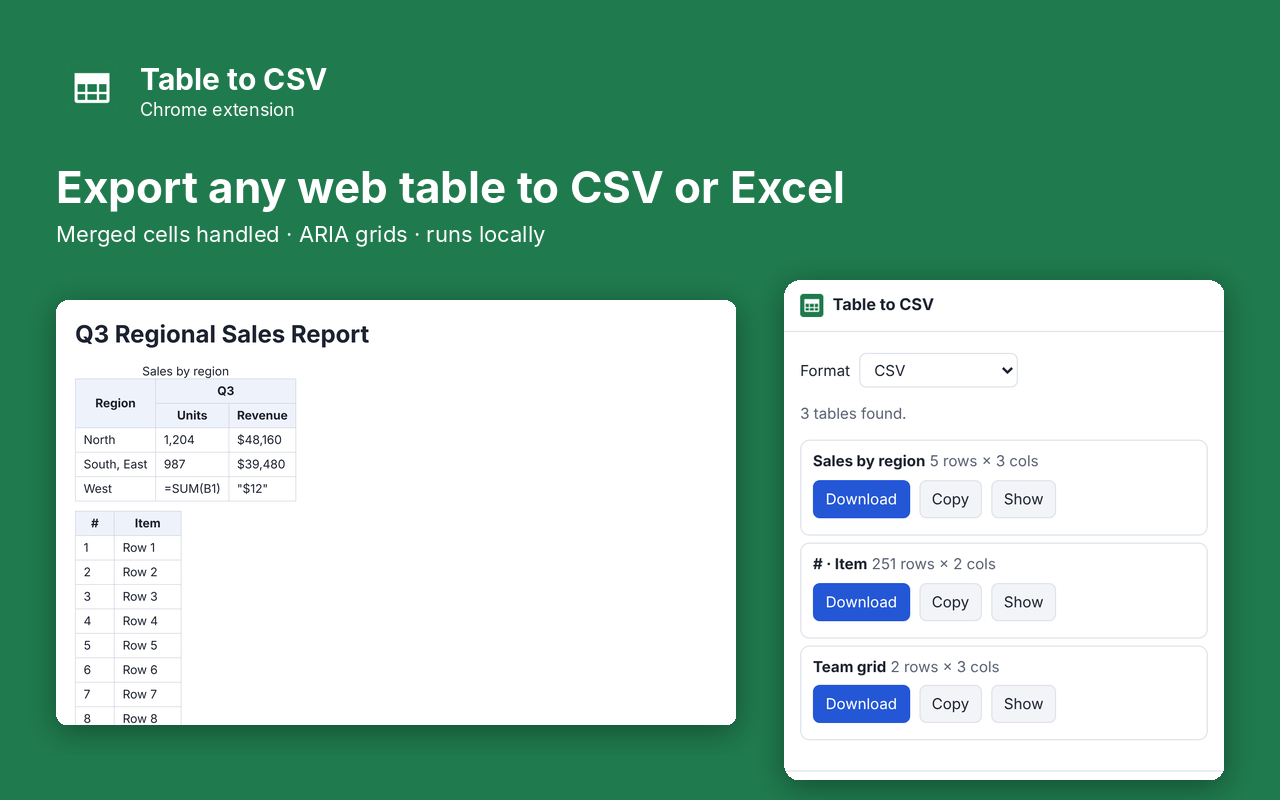
Table to CSV exports any table on a web page to a CSV file you can open in Excel, Google Sheets or Numbers. Click the toolbar button, pick the table, and download it. It handles the tables other exporters get wrong: merged header cells, row spans, and grid layouts built from divs.
- Finds every table on the page, including ARIA grids
- Expands merged cells (colspan and rowspan) so columns line up
- CSV, or CSV for Excel with correct accents and symbols
- Copy to clipboard or download, and a Show button that highlights the table
- Protects you from spreadsheet formula injection in exported cells
- Runs entirely in your browser. Nothing is uploaded
Pro: $5 once
- No row limit (free exports the first 200 rows of a table)
- TSV, Markdown and JSON formats
Buy on Gumroad, then paste the license key into the extension's popup. No subscription.
Questions
Does it upload my data?
No. The table is read and converted inside your browser and saved straight to your Downloads folder.
Why do some cells start with an apostrophe?
Cells that begin with =, +, - or @ could run as formulas in Excel. The apostrophe makes them plain text. Normal negative numbers are left alone.
Can it read tables inside apps like Google Sheets?
No. Chrome blocks extensions on its own pages and some apps draw tables in a canvas, which has no table to read.
Privacy policy for Table to CSV
Last updated 2026-10-10.
Table to CSV does not collect, sell or share your data. It has no analytics, no ads, no account and no server of its own. Everything it reads or saves stays in Chrome on your computer.
- What it reads: Export tables from the current web page to CSV and related file formats. It reads the current page only when you use the extension.
- What it stores: your settings and whether Pro is unlocked, in Chrome's local extension storage. Uninstalling the extension deletes it.
- The one network request: when you unlock Pro, the license key you type is sent to Gumroad's license check (api.gumroad.com) to confirm the purchase, and checked again about once a month. Gumroad's privacy policy covers that request. Nothing else is sent.
- Payments are handled by Gumroad. We never see your card details.
Why each permission is needed
- activeTab: Reads the tables on the page the user is looking at, only after the user clicks the extension button.
- scripting: Runs the table-reading function in the current tab when the user opens the popup, and highlights a table when the user presses Show.
- storage: Remembers whether the user unlocked Pro.
- optional api.gumroad.com: Requested only when the user enters a license key; used once to check that key with Gumroad's license API.
This extension's use of information follows the Chrome Web Store User Data Policy, including the Limited Use requirements.