Home › SEO Checker
SEO Page Checker: On-Page SEO Audit
Check a page's on-page SEO in one click: title, meta description, headings, alt text, canonical, structured data. Runs locally.
What it does
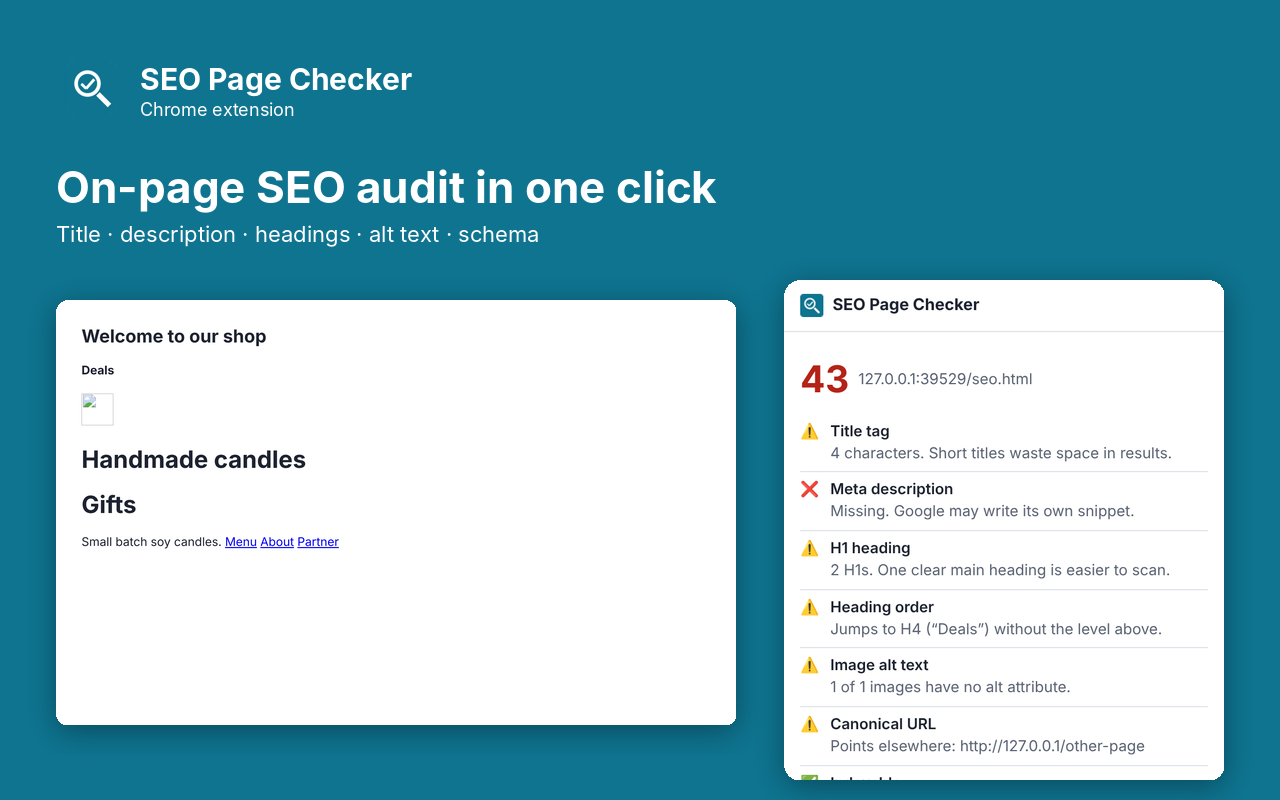
SEO Page Checker gives you a quick on-page SEO audit of the page you are viewing. Click the toolbar button and see a score plus a plain-English list of what is right and what to fix: title and meta description length, H1 and heading order, image alt text, canonical URL, noindex, mobile viewport, Open Graph tags and structured data. It is deliberately small and fast, with no account and no tracking.
- Score out of 100 with pass, warning and fail for each check
- Title and meta description length, with Google's typical cut-off points
- H1 count and skipped heading levels
- Images missing alt text
- Canonical URL, noindex and HTTPS
- Open Graph tags and JSON-LD structured data types
- Runs entirely in your browser
Pro: $5 once
- Full heading outline (H1 to H6)
- Copy the whole report as Markdown
- Export every link on the page to CSV with anchor text, internal/external and nofollow
Buy on Gumroad, then paste the license key into the extension's popup. No subscription.
Questions
Does it send the pages I check anywhere?
No. The check runs in your browser and nothing about the page leaves your computer.
Why is the score different from other tools?
Each check counts equally: pass is full points, a warning is half, a fail is zero. It's a checklist, not a ranking prediction.
Does it check speed or backlinks?
No. It covers what is on the page itself.
Privacy policy for SEO Checker
Last updated 2026-10-10.
SEO Checker does not collect, sell or share your data. It has no analytics, no ads, no account and no server of its own. Everything it reads or saves stays in Chrome on your computer.
- What it reads: Audit the on-page SEO of the current web page. It reads the current page only when you use the extension.
- What it stores: your settings and whether Pro is unlocked, in Chrome's local extension storage. Uninstalling the extension deletes it.
- The one network request: when you unlock Pro, the license key you type is sent to Gumroad's license check (api.gumroad.com) to confirm the purchase, and checked again about once a month. Gumroad's privacy policy covers that request. Nothing else is sent.
- Payments are handled by Gumroad. We never see your card details.
Why each permission is needed
- activeTab: Reads the current page's tags and headings, only after the user clicks the extension button.
- scripting: Runs the function that collects the page's SEO tags at that moment.
- storage: Remembers whether the user unlocked Pro.
- optional api.gumroad.com: Requested only when the user enters a license key; used to check that key with Gumroad's license API.
This extension's use of information follows the Chrome Web Store User Data Policy, including the Limited Use requirements.