Home › Save Image As
Save Image As PNG, JPG or WebP
Right-click any image and save it as PNG, JPG or WebP. Converts on your computer. No tracking, no ads. Pro: save all, copy as PNG.
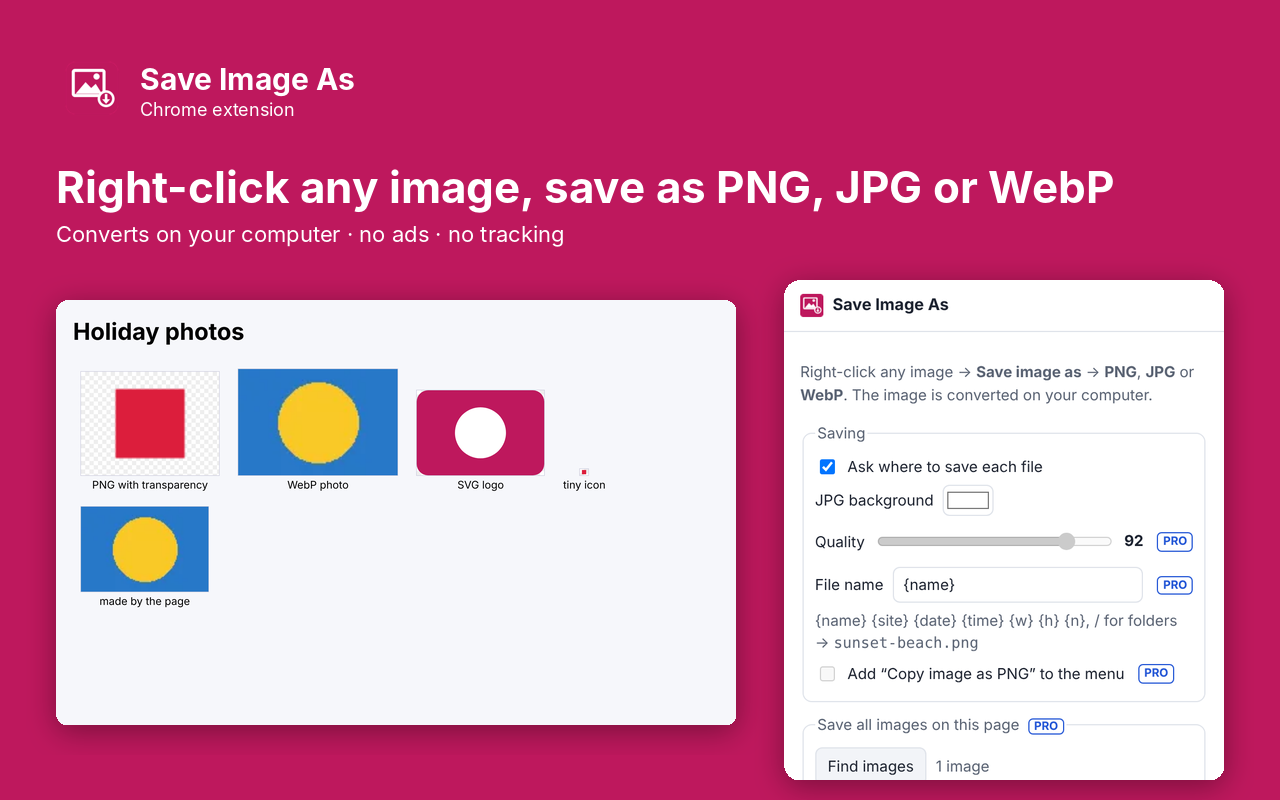
What it does
Save Image As adds one item to the right-click menu on every image: Save image as PNG, JPG or WebP. Grab a WebP from a website and get a PNG or JPG that every app opens, without uploading anything to a converter site. The conversion happens inside Chrome on your computer. It is a clean replacement for the old Save image as Type extension, which was removed from the Chrome Web Store in March 2026. This one has no ads, no affiliate links, no tracking and no always-on access to your sites.
- Right-click any image → Save image as → PNG, JPG or WebP
- Converts WebP, AVIF, GIF, BMP, ICO and SVG images
- Keeps transparency in PNG and WebP; pick the background color for JPG
- Uses the image's own name, with the right file extension
- Choose whether Chrome asks where to save each file
- Asks to read an image host only when that site blocks reading the image, and only for that site
- Runs entirely in your browser. Nothing is uploaded
Pro: $5 once
- Save every image on a page in one click, biggest first, without a dialog for each
- File name templates with site, date, time, size and number, plus folders (for example {site}/{date}-{name})
- JPG and WebP quality slider
- Copy image as PNG to the clipboard from the right-click menu
Buy on Gumroad, then paste the license key into the extension's popup. No subscription.
Questions
Is this the old Save image as Type?
No. It is a new extension built from scratch after that one was removed from the Chrome Web Store in March 2026 for hijacking shopping links. It does the same job without ads, affiliate links or tracking.
Why does it sometimes ask to access a site?
Some sites keep their images on a separate image server that doesn't let extensions read them. The first time you save from one of those, Chrome asks whether to allow that one host. You can allow all sites instead so it never asks again, and take it back at chrome://extensions.
Does it upload my images anywhere?
No. The image is downloaded by your browser and converted on your computer. The only network request the extension makes on its own is the Gumroad license check when you unlock Pro.
Can it save AVIF?
Chrome can read AVIF but cannot write it, so it saves AVIF images as PNG, JPG or WebP.
Privacy policy for Save Image As
Last updated 2026-10-10.
Save Image As does not collect, sell or share your data. It has no analytics, no ads, no account and no server of its own. Everything it reads or saves stays in Chrome on your computer.
- What it reads: Save images from web pages in the image format the user picks (PNG, JPG or WebP), converting them locally. It reads the current page only when you use the extension.
- What it stores: your settings and whether Pro is unlocked, in Chrome's local extension storage. Uninstalling the extension deletes it.
- The one network request: when you unlock Pro, the license key you type is sent to Gumroad's license check (api.gumroad.com) to confirm the purchase, and checked again about once a month. Gumroad's privacy policy covers that request. Nothing else is sent.
- Payments are handled by Gumroad. We never see your card details.
Why each permission is needed
- contextMenus: Adds the Save image as → PNG / JPG / WebP items to the right-click menu on images.
- downloads: Saves the converted image to the user's Downloads folder (or where the user chooses).
- offscreen: Opens a hidden extension page that decodes SVG and other images with an image element, so they can be converted. It loads only the image the user chose.
- activeTab: Lets the extension read the chosen image through the current page (for same-site images and images the page created) and list the page's images for Save all, only after the user clicks.
- scripting: Runs the image-reading, image-listing and copy-to-clipboard functions in the current tab at that moment.
- storage: Saves the user's settings and Pro status.
- optional api.gumroad.com: Requested only when the user enters a license key; used to check that key with Gumroad's license API.
- optional *://*/* (one site at a time): Some image hosts block extensions from reading their images. Only then, the extension asks the user for read access to that one host (or, if the user picks it, all hosts) so it can download the image to convert it. Nothing is read until the user saves an image.
This extension's use of information follows the Chrome Web Store User Data Policy, including the Limited Use requirements.