Home › Job Tracker
Job Application Tracker: Save Jobs in One Click
Save any job posting in one click and track every application: status, notes, follow-ups. Private, stored on your computer.
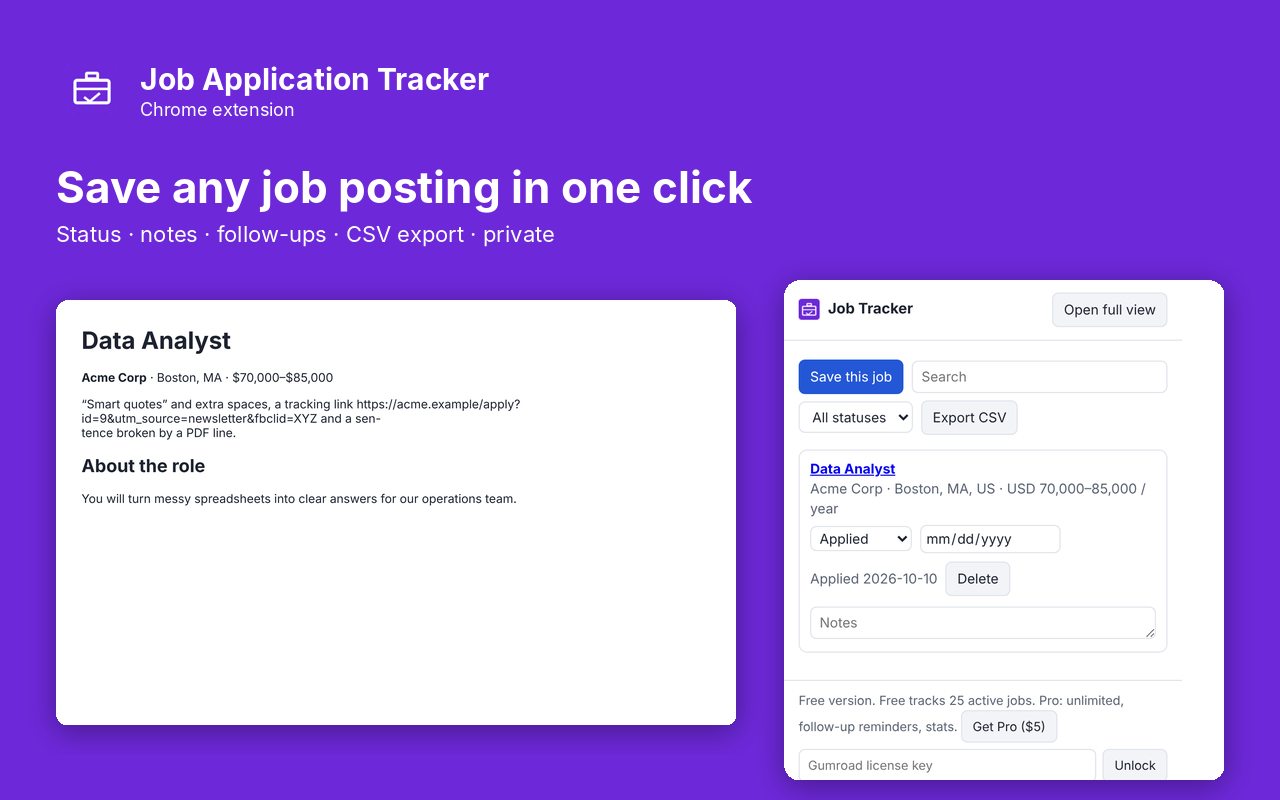
What it does
Job Application Tracker saves a job posting in one click and keeps every application in one private list. Open a posting, click Save this job, and the title, company, location and salary are filled in from the page. Then track the status from Saved to Applied, Interview and Offer, add notes, and export everything to a spreadsheet.
- One-click save from job boards and company career pages that publish job details
- Status for each job: Saved, Applied, Interview, Offer, Rejected, Withdrawn
- Records the date you applied automatically
- Notes, search and a status filter
- Full-page view for long lists
- Export to CSV for Excel or Google Sheets
- Stored only on your computer. No account
Pro: $5 once
- Unlimited jobs (free tracks 25 active applications; closed ones don't count)
- Follow-up dates with a reminder when they are due
- Pipeline stats: applications, interviews, offers and response rate
Buy on Gumroad, then paste the license key into the extension's popup. No subscription.
Questions
Which job sites does it work on?
Any page that publishes standard job data, which most job boards and company career pages do. On other pages it uses the page title, and you can add details in the notes.
Is my job search private?
Yes. The list is stored in Chrome on your computer and is never uploaded.
Can I move my list to a spreadsheet?
Yes. Export CSV opens in Excel, Google Sheets or Numbers.
Privacy policy for Job Tracker
Last updated 2026-10-10.
Job Tracker does not collect, sell or share your data. It has no analytics, no ads, no account and no server of its own. Everything it reads or saves stays in Chrome on your computer.
- What it reads: Save job postings and track the status of the user's job applications. It reads the current page only when you use the extension.
- What it stores: your settings, your saved list and whether Pro is unlocked, in Chrome's local extension storage. Uninstalling the extension deletes it.
- The one network request: when you unlock Pro, the license key you type is sent to Gumroad's license check (api.gumroad.com) to confirm the purchase, and checked again about once a month. Gumroad's privacy policy covers that request. Nothing else is sent.
- Payments are handled by Gumroad. We never see your card details.
Why each permission is needed
- activeTab: Reads the job details from the posting the user is viewing, only when the user clicks Save this job.
- scripting: Runs the function that reads the posting's published job data (title, company, location, salary) at that moment.
- storage: Keeps the user's job list and Pro status on their computer.
- alarms: Checks a few times a day whether any follow-up dates are due (Pro).
- optional notifications: Requested when the user first sets a follow-up date; shows the follow-up reminder.
- optional api.gumroad.com: Requested only when the user enters a license key; used to check that key with Gumroad's license API.
This extension's use of information follows the Chrome Web Store User Data Policy, including the Limited Use requirements.