Home › Clean Copy
Copy as Clean Text: Paste Without Formatting
Copy text without fonts, colors, hidden characters or tracking links. Right-click or Alt+Shift+C. Pro: PDF line fixes, Markdown.
What it does
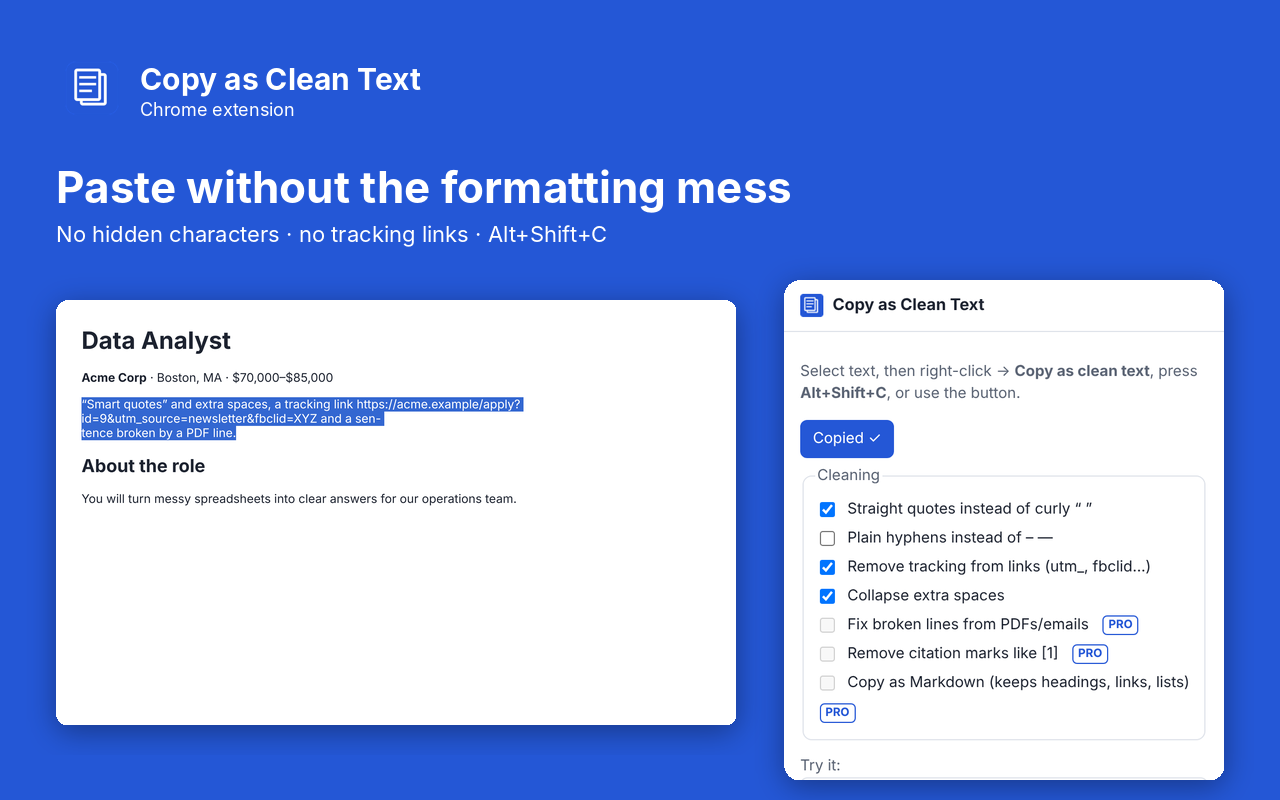
Copy as Clean Text copies the text you select without the fonts, colors, hidden characters and tracking junk that come along with it. Paste into email, docs, spreadsheets or code and get exactly the words you meant. Right-click a selection and choose Copy as clean text, or press Alt+Shift+C.
- Removes zero-width spaces, soft hyphens and other invisible characters
- Turns non-breaking and odd-width spaces into normal spaces and collapses extra spaces
- Straight quotes instead of curly quotes (optional), plain hyphens instead of dashes (optional)
- Strips tracking parameters such as utm_source, fbclid and gclid from links in the text
- Works on page text and inside text boxes
- Runs entirely in your browser. Nothing is uploaded
Pro: $5 once
- Fix broken lines from PDFs and emails (joins hard-wrapped lines and hyphenated words)
- Remove citation marks like [1] and [citation needed]
- Copy as Markdown, keeping headings, links, lists, bold and code
Buy on Gumroad, then paste the license key into the extension's popup. No subscription.
Questions
Does it get around sites that block copying?
No. It copies what you can already select. It does not override a site's copy protection.
Where is my copied text sent?
Nowhere. The text goes from the page to your clipboard on your computer.
Can I change the shortcut?
Yes, at chrome://extensions/shortcuts.
Privacy policy for Clean Copy
Last updated 2026-10-10.
Clean Copy does not collect, sell or share your data. It has no analytics, no ads, no account and no server of its own. Everything it reads or saves stays in Chrome on your computer.
- What it reads: Copy selected text to the clipboard as clean plain text (or Markdown). It reads the current page only when you use the extension.
- What it stores: your settings and whether Pro is unlocked, in Chrome's local extension storage. Uninstalling the extension deletes it.
- The one network request: when you unlock Pro, the license key you type is sent to Gumroad's license check (api.gumroad.com) to confirm the purchase, and checked again about once a month. Gumroad's privacy policy covers that request. Nothing else is sent.
- Payments are handled by Gumroad. We never see your card details.
Why each permission is needed
- activeTab: Reads the user's text selection on the current page, only after the user right-clicks, presses the shortcut or clicks the extension button.
- scripting: Runs the selection-reading and clipboard-writing functions in the current tab at that moment.
- contextMenus: Adds the Copy as clean text item to the right-click menu.
- storage: Saves the user's cleaning options and Pro status.
- optional api.gumroad.com: Requested only when the user enters a license key; used to check that key with Gumroad's license API.
This extension's use of information follows the Chrome Web Store User Data Policy, including the Limited Use requirements.